

How to Test the Heiken Ashi EA MT4/5
✔️ Heiken Ashi EA MT4©: https://www.mql5.com/en/market/product/45283
✔️ Heiken Ashi EA MT5©: https://www.mql5.com/en/market/product/64877
1. First make sure that you paste the Heiken Ashi Smoothed MT4/5 indicator that you can find at the bottom of the page, in your MT4/5 >> File >> Open Data Folder >> MQL4/5 >> Indicators folder. So unzip the Heiken Ashi Smoothed indicator folder that you can download at the bottom of this blog and put the 2 files into your indicator’s folder.
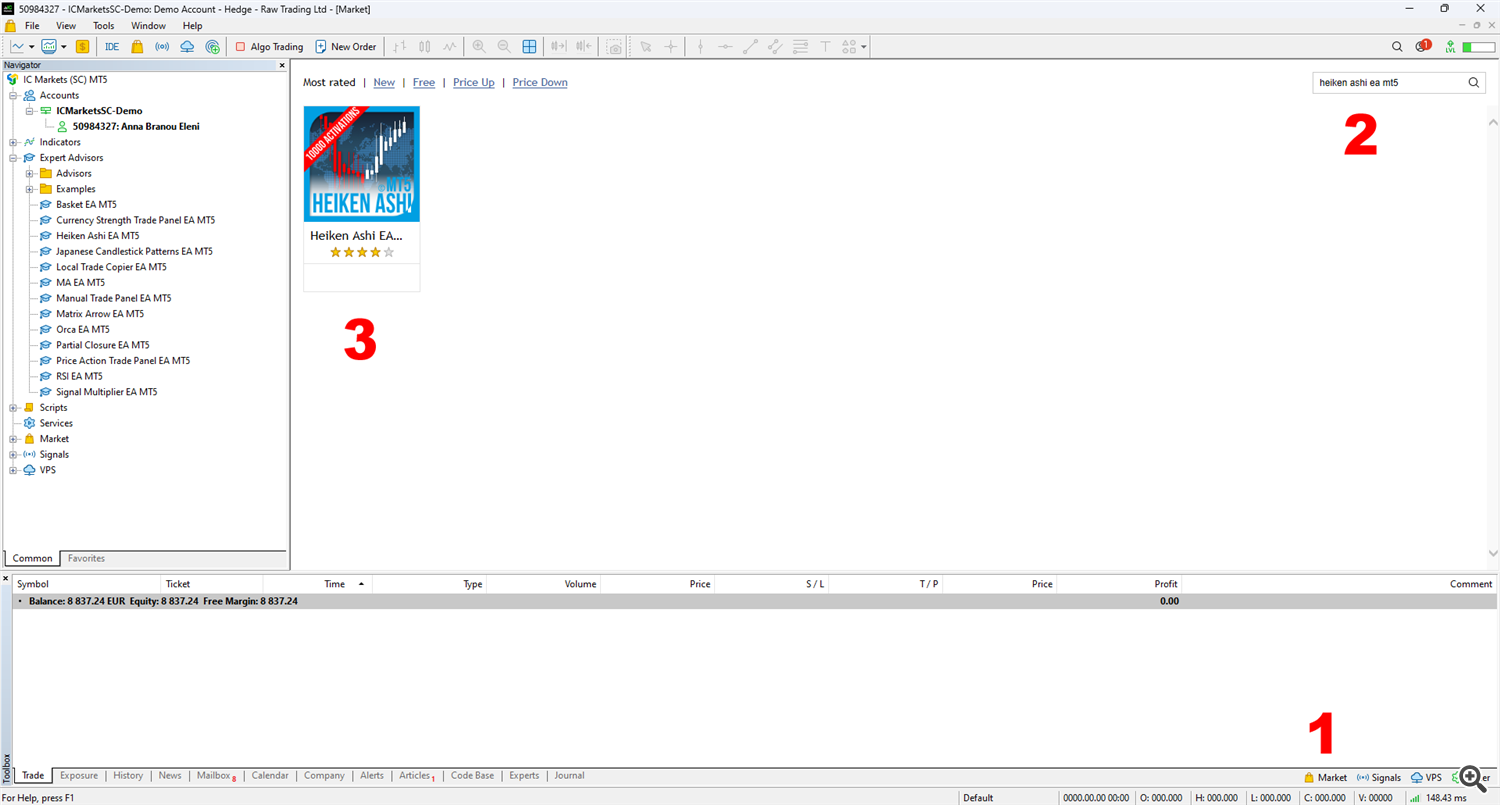
2. Then open the Market tab of your MT4/5 terminal (1). Type in the search area: Heiken Ashi EA MT4 or Heiken Ashi EA MT5 (2) and the Heiken Ashi EA MT4 or MT5 will come up in the results. Click on the Heiken Ashi EA MT4 or MT5 (3) to open the product’s page.
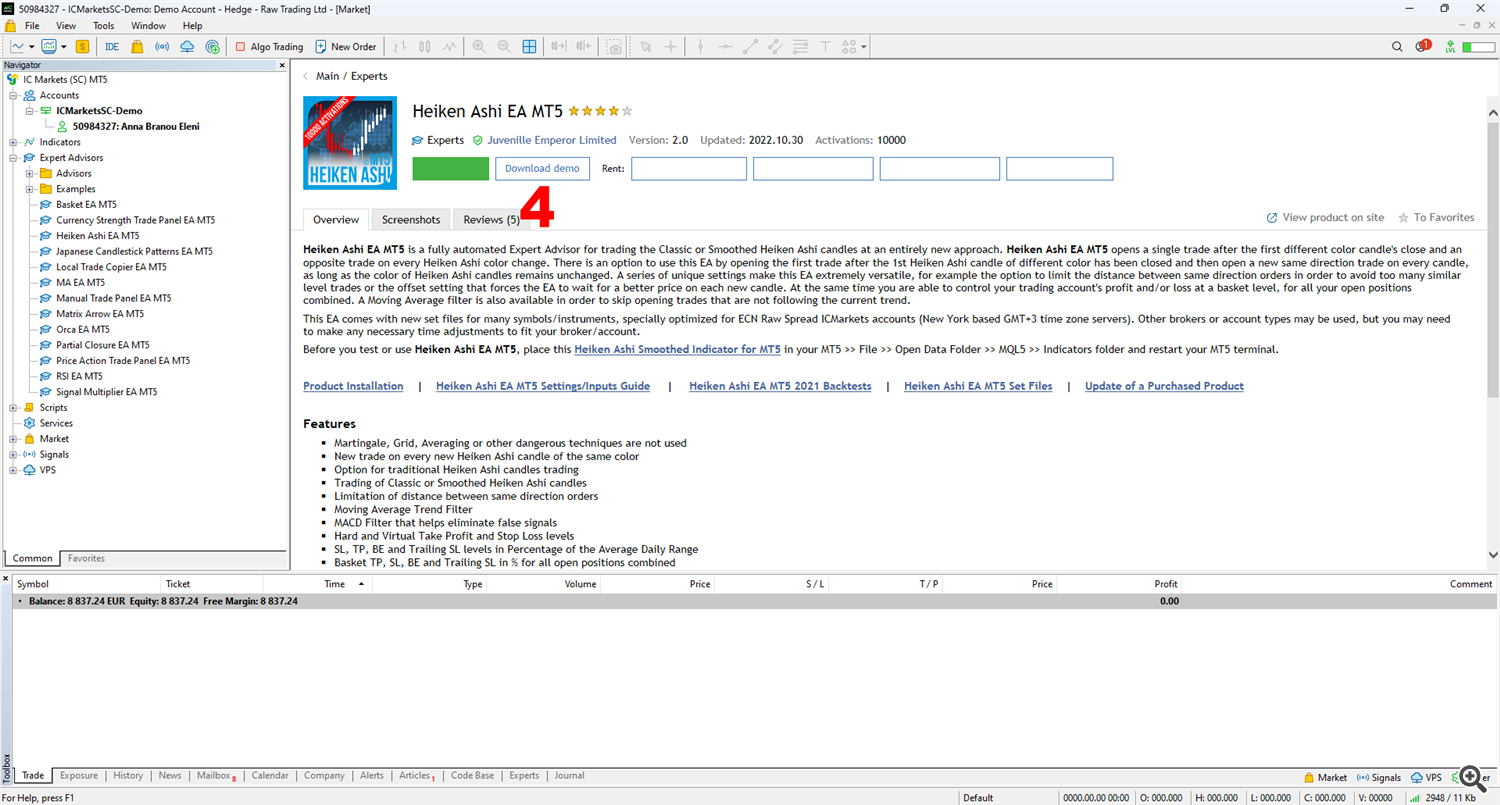
3. Click the Download Demo button (4) of the Heiken Ashi EA MT4/5, to download the demo version in your Market Expert’s folder.
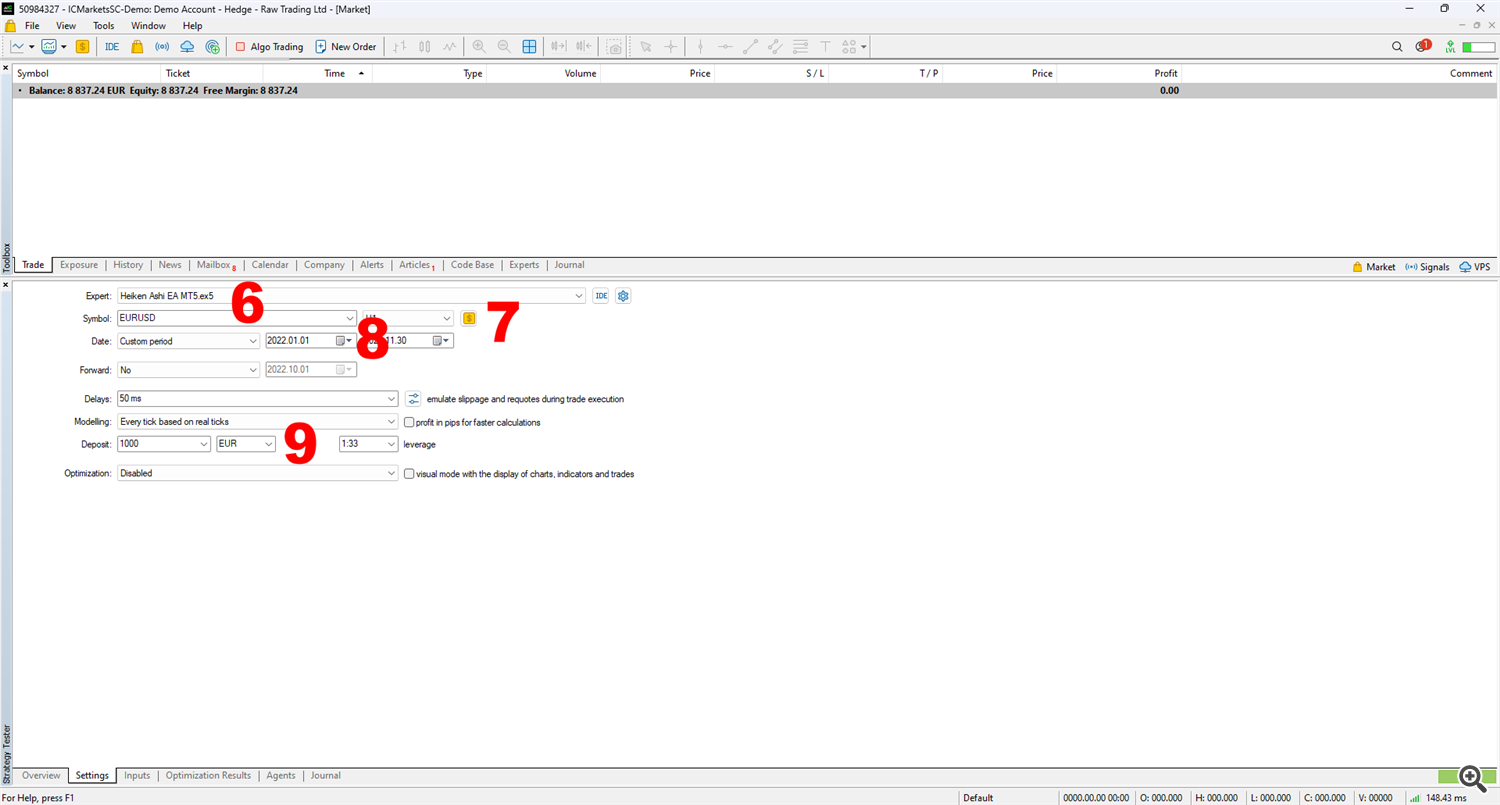
4. Open the MT4/5 >> View >> Strategy Tester of your MT4/5 terminal and select the Heiken Ashi EA MT4/5 from your Market folder to test it (5).

5. Select the desired instrument that you will test (6), the timeframe (7), the time period for your test (8) and the test account balance and leverage (9).
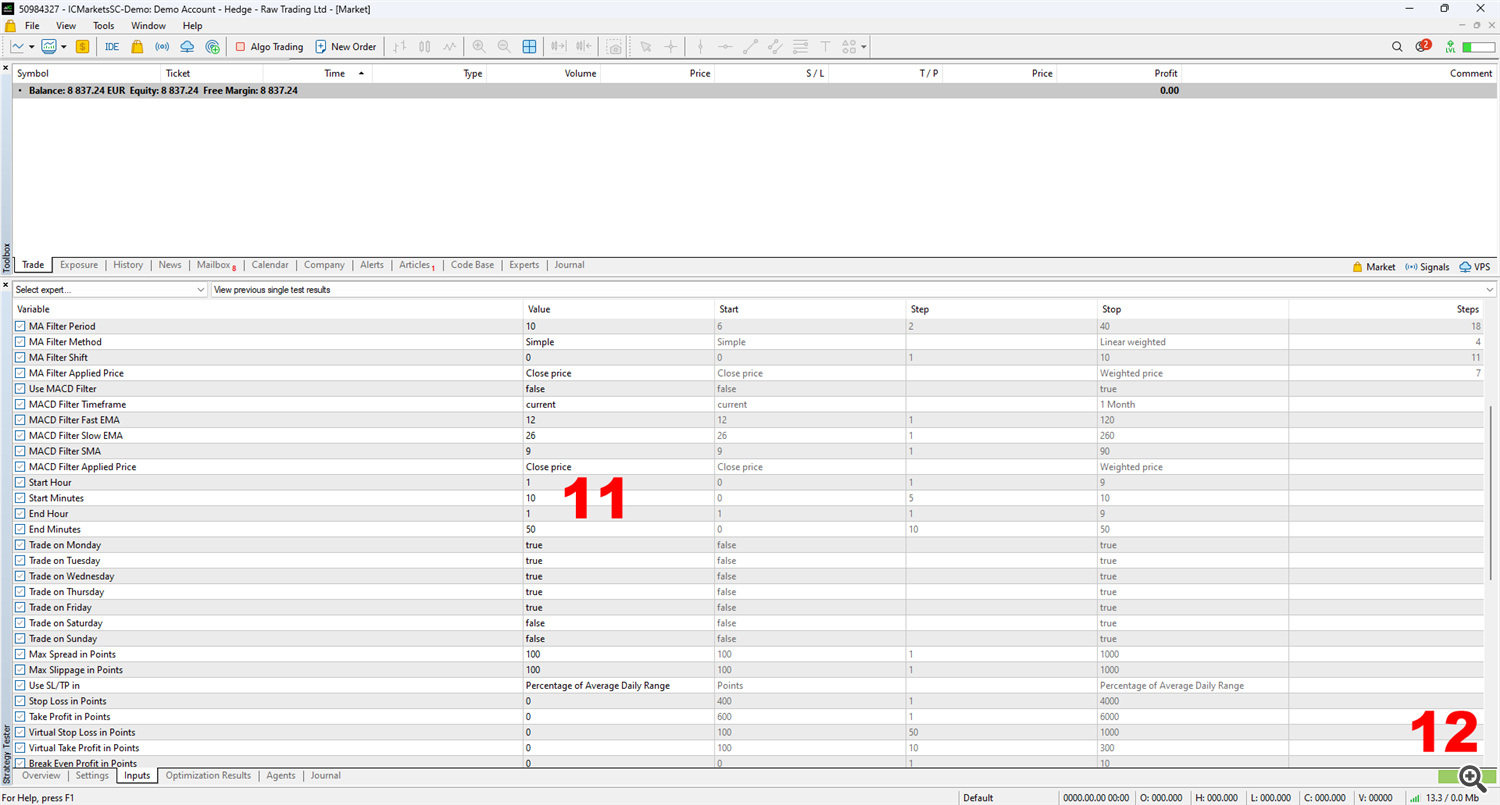
6. Right click the Load option on the Inputs tab of the Strategy Tester and load the appropriate set file (10), located in the product’s description page and at the bottom of this page too.

7. Adjust the trading hours to fit your broker’s server time (11), because the provided set files are optimized in ICMarkets Raw Spread GMT+3 accounts. If your broker is GMT+3 you do not need to change anything. Then click the Start button on the bottom right corner of the Strategy Tester and your test will begin (12).
You can check the server time of your broker in the Marketwatch window and if your broker is not GMT+3 you need to adjust the trading hours of all provided set files to fit your broker. If for example your broker’s server time is GMT+0, you need to adjust all the trading hours 3 hours back, as below:
Start Hour: 12
Start Minutes: 00
End Hour: 22
End Minutes: 50
you need to change it to:
Start Hour: 9
Start Minutes: 00
End Hour: 19
End Minutes: 50
✔️ Heiken Ashi EA MT4©: https://www.mql5.com/en/market/product/45283
✔️ Heiken Ashi EA MT5©: https://www.mql5.com/en/market/product/64877


