Welcome visitor! In this article we’ll discuss the user interface buttons, or in other words, the means you can use to manually interfere with DooZER. If before that you prefer to take a look at the rest of information available you can always visit the blog main page, where you’ll find all articles. As always… happy reading!
Pause EA
Very straightfoward, the “Pause EA” button will force DooZER to pause once it has closed the current basket. It’s what we call an active pause, that is, DooZER will still manage the current basket by opening new trades if needed in order to take the basket profit, and then will pause its activity. Once the “Pause EA” button has been pressed its text will change to “Resume EA”. While the current basket is still open you can simply press again the button if you change your mind about pausing DooZER. The button will become inactive and the text will revert back to “Pause EA”. Once the current basket has been closed, the button will remain active and DooZER will be idle until you press “Resume EA”. To avoid pressing the button by mistake, upon clicking on “Pause EA” or “Resume EA” you’ll see a confirmation pop-up window where you will have to ratify your action.

Break Even
This buttons was designed having in mind those moments when you don’t feel comfortable with the current price behavior, and prefer not to wait until DooZER reaches the basket profit. It’s one of those moments when you’d rather have the basket closed as soon as possible because you don’t want to wait. As you can imagine, it’s possible (and actually best used) when used in conjunction with the “Pause EA” button, that is, when you want to pause DooZER as soon as possible and don’t want to wait until the basket profit is reaches – in those cases you’ll use both “Pause EA” and “Break Even” together, most likely. Please note that after DooZER closes the current basket at break-even, it will not stop trading unless the “Pause EA” button was already pressed.
The way the break even feature works is already explained in the “DooZER’s Input Parameters In Detail” article, but let’s review it again: as soon as you press the button, DooZER will start looking at breaking even the current open basket as tight as possible, unless the desired basket profit is hit. In case the floating P/L is positive, DooZER will place what we like to call a Stop-Loss Break Even (no real stop-loss is placed, though), which means that the basket will close if the positive floating P/L falls back to zero. If, on the other hand, the floating P/L is negative, DooZER will place a so-called Take-Profit Break Even (no real take-profit is placed either), which means that the basket will close if the negative floating P/L rises to zero. Since no real stop-loss or take-profit are placed by a design decision, DooZER will try to break even as fast and as tight as possible, but keep in mind that in the event that the price is moving very fast the realized profit might not be exactly zero but a few cents above or below.
If you change your mind and want no longer to break the current basket even, press the button again (not it’s called “Disable BrE”) and it’ll become inactive and its text will revert back to “Break Even”. To avoid pressing the button by mistake, upon clicking on “Break Even” or “Disable BrE” you’ll see a confirmation pop-up window where you will have to ratify your action.

Close All
The good old “panic button” that you can press if you want to close all open positions for whatever reason. Since closing the basket is a very concious decision by the user, we understand that you want to take a moment to think about what you want to do next, and that’s the reason why we decided to have DooZER pause (see “Pause EA” section above) until you press again the “Resume EA” button.
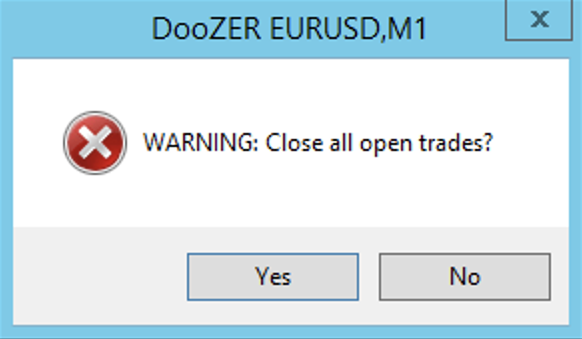
It’s important to understand that the “Close All” button is always available no matter what. News, waiting to close basket, break even or not… the moment you press “Close All” you’ll actually be closing all open positions as fast as possible. To avoid pressing the button by mistake, upon clicking on “Close All” you’ll see a confirmation pop-up window where you will have to ratify your action.